

The HELP tab connects you to the resources you may need while working in the VirtualSurveyor and TerrainCreator apps. Whether you want a quick answer, more detailed instructions, information about the latest features, or help from our support team, you can access these resources directly from the app.
This article explains each option available in the Help group and shows you where to go when you need additional information or support.
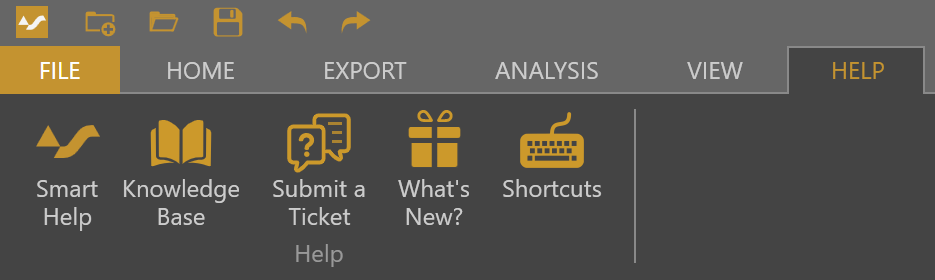
Help group
| Icon | Name | Description |
|---|---|---|
 | Smart Help | Smart Help gives you quick answers without interrupting your workflow. Ask a question about VirtualSurveyor or TerrainCreator and Smart Help searches the Knowledge Base to provide a clear response based on the information it finds. Use it when you need guidance about a tool or workflow while working in the app. |
 | Knowledge Base | The Knowledge Base opens the Virtual Surveyor support website, where you can find detailed articles about tools, workflows, projects, and your subscription. Use it when you want step-by-step instructions, additional examples, or more detailed information about working with VirtualSurveyor or TerrainCreator. The Knowledge Base is organized into several sections:
|
 | Submit a Ticket | Submit a Ticket opens the Virtual Surveyor support portal in your web browser. Use it to contact our support team when you have a question, encounter a problem, or need additional help that you could not find in Smart Help or the Knowledge Base. |
 | What's New? | What's New? opens the Virtual Surveyor updates page, where new features and improvements are organized by version release. Use it to see what has recently been added to Virtual Surveyor and learn about new tools and capabilities available in the latest release. |
 | Shortcuts | Shortcuts opens the Keyboard Shortcuts article in the Knowledge Base. Use it to quickly review the keyboard commands available in the VirtualSurveyor app and find shortcuts that can make common actions faster while you work. |